Deposit And Borrow
A single vault deposit gives you immediate, auto-compounded yield through the Mix-Yield Token (MYT). From there you can:
-
Stop after the deposit – keep earning passive yield, zero management required.
-
Continue to the borrow step – mint lAssets and tap into self-repaying loans.
The instructions that follow are focused on the process of depositing assets and borrowing lAssets subsequently.
If you only want MYT yield, visit the Passive MYT Yield tutorial →
Prerequisites
- Connect your wallet and switch to the chain that holds the assets you plan to deposit.
- Confirm you have ETH for gas on that chain.
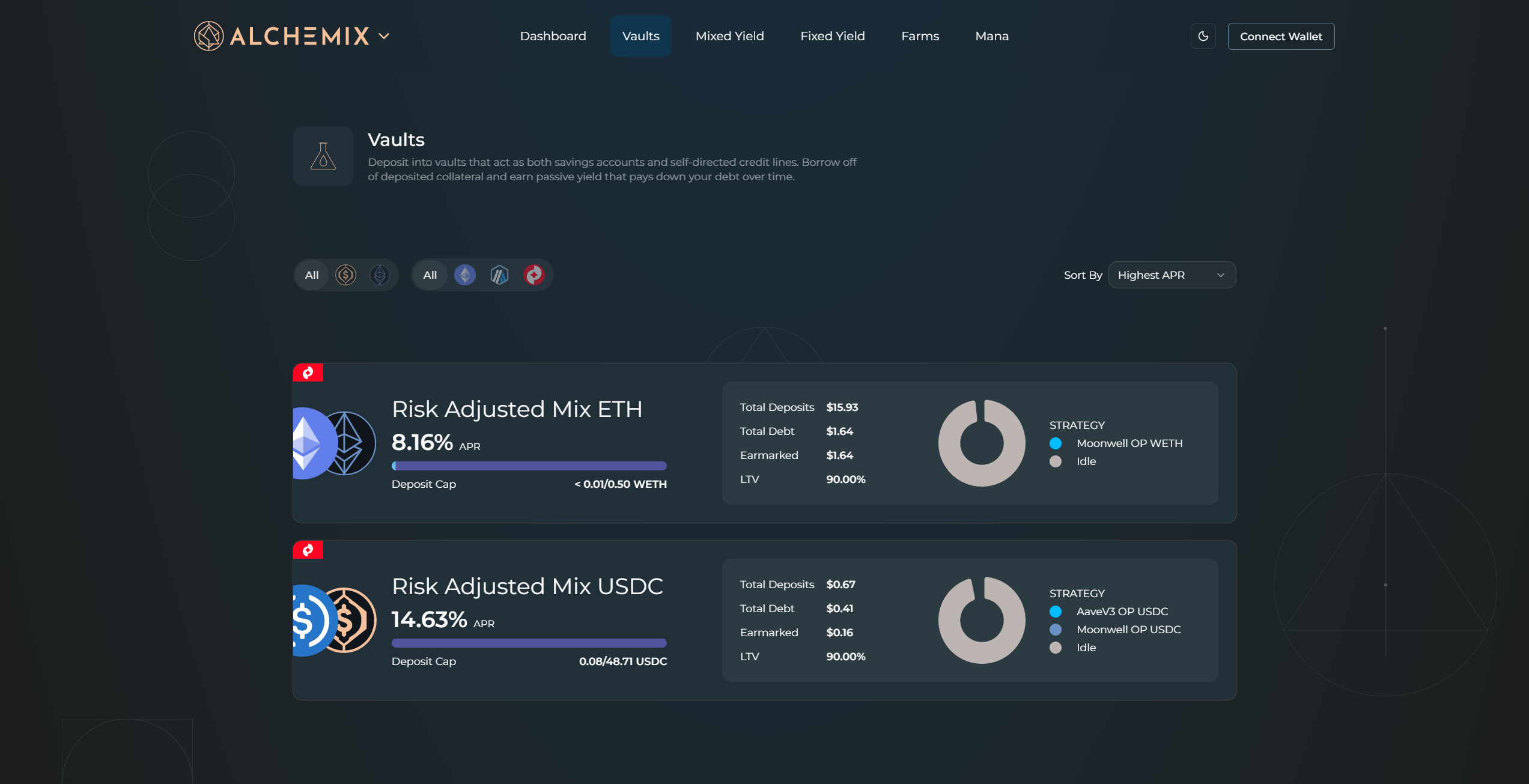
Step 1 – Open the Vaults page
-
From any screen choose Vaults in the top navigation, or;
-
On the Dashboard (pictured above) click the empty tile with a plus icon next to your existing positions.
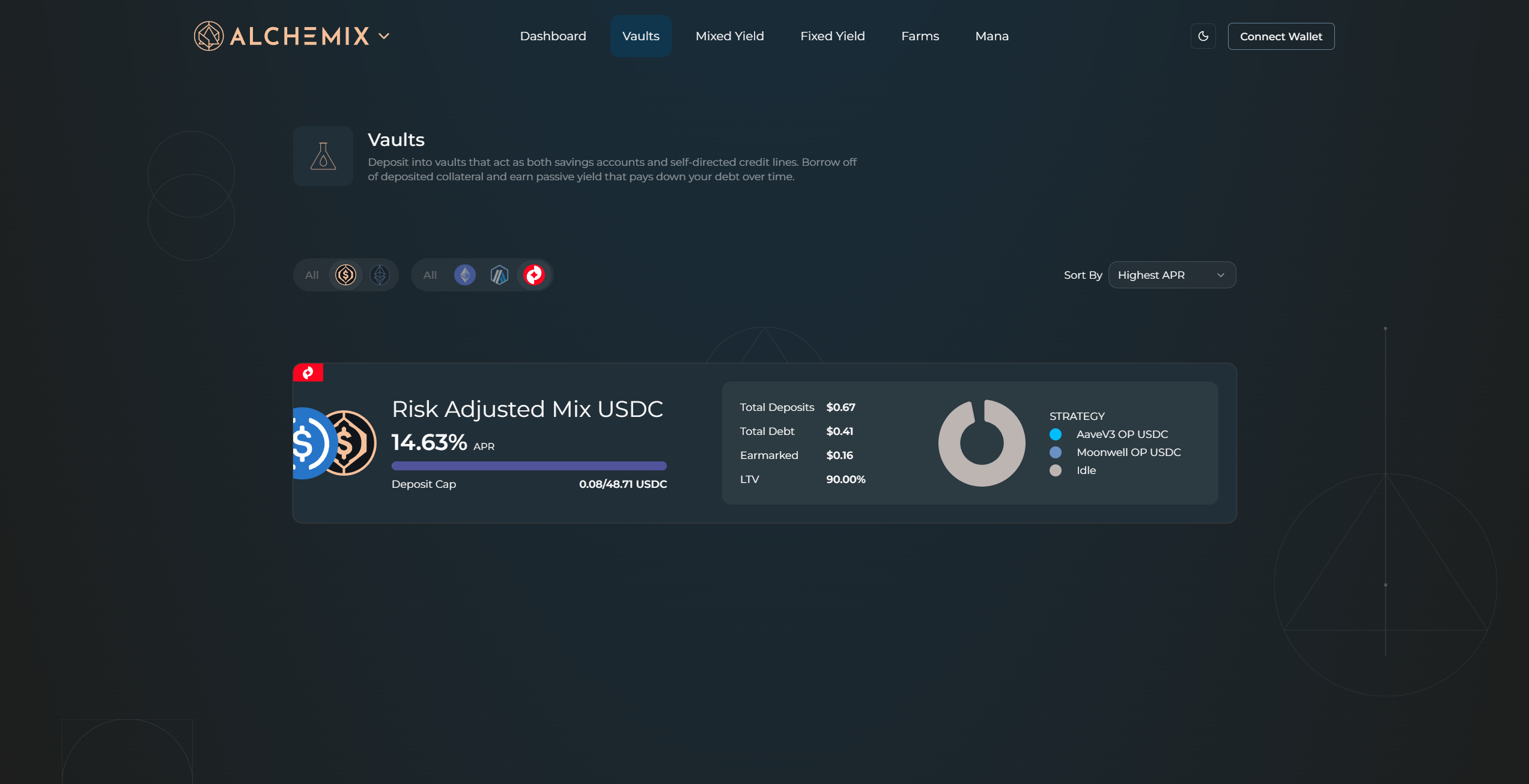
Step 2 – Find the vault you want
-
Use the icon filters (chain and asset) or the Sort by dropdown to narrow the list.
-
Click a vault card to open its detail page.
Step 3 – Choose Deposit/Borrow
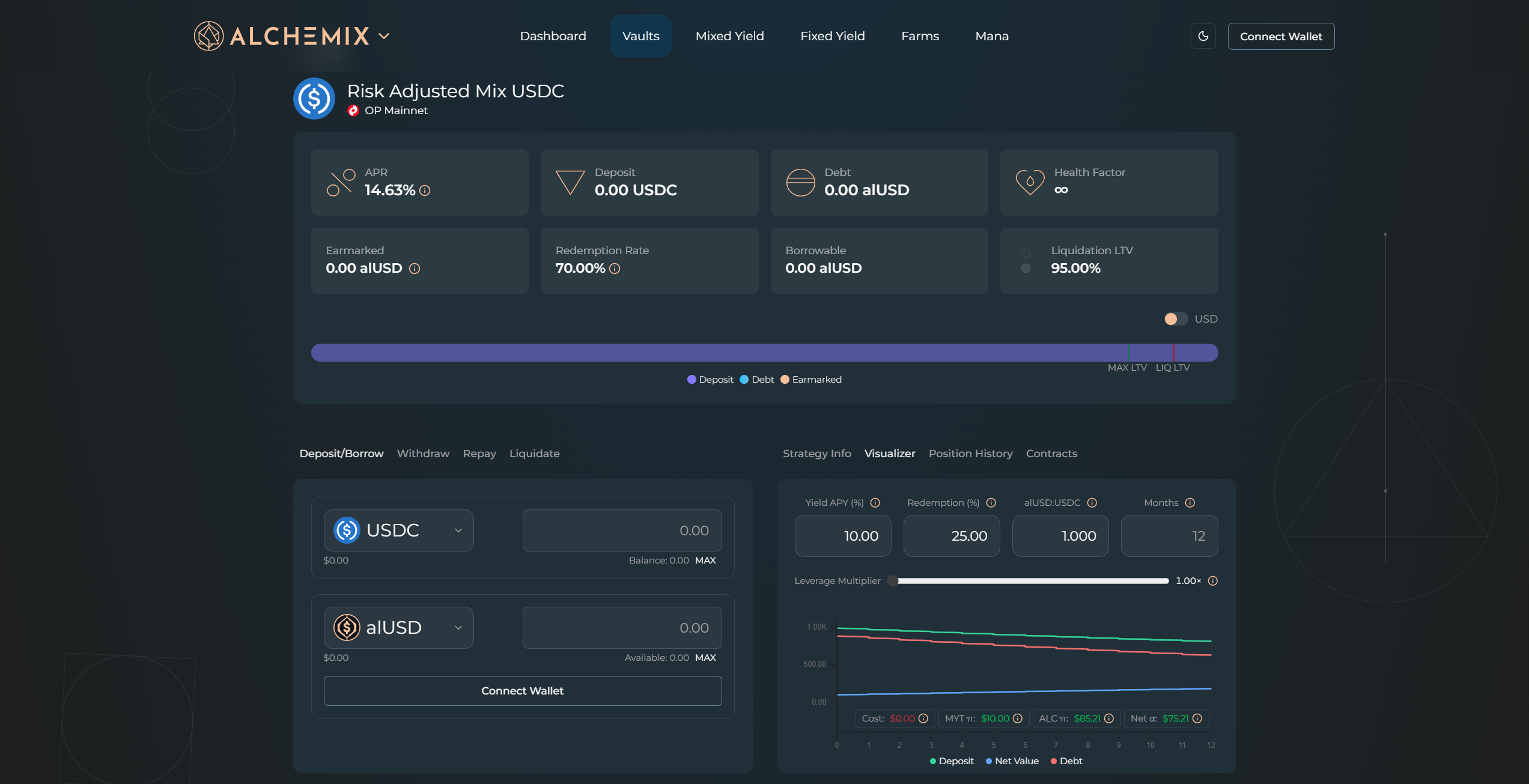
The lower-left panel has three tabs:
-
Deposit / Borrow (default)
-
Withdraw
-
Repay
Stay on Deposit / Borrow.
Step 4 – Enter amounts
Type the deposit size in the left box, then set the lAsset amount you plan to borrow. As you adjust the fields, keep an eye on three on-screen guides:
-
LTV meter – in the main context window, a colored bar shows your live and maximum loan-to-value. The hard cap (90%) or current cap is marked by a red line. To avoid liquidations, keep your LTV below the indicated liquidation level, the further the better.
-
Strategy mix – under Strategy Info, you can view the pie-chart of active strategies and their respective risk profiles.
-
Strategy ceilings – in the same window, you’ll see the DAO-set maximum share percentage for each strategy that makes up the MYT vault. Therefore, there is a maximum allowed % of high risk strategies in each bucket.
Enter the amount of the vault’s deposit asset you want to add, and the amount of lAsset you wish to borrow.
Step 5 – Queue or send
-
Click Deposit or Borrow to submit a single action, or;
-
Click the cart icon to bundle both actions. Bundling sends one on-chain transaction instead of two to complete both actions.
Step 6 – Review and confirm
Your wallet pops up the transaction details. Check network, gas estimate, and amounts, then approve.
Step 7 – Track your position
Back on the Dashboard you will see:
-
Current collateral
-
Outstanding debt
-
Loan-to-value ratio
-
Redemption queue status (if any)
Last updated on